
Ticketing System

Our easy accessible support ticketing system is at your disposal to guarrantee that support questions are answered in the most orderly, fast and effective way. You will have a response from our support staff within 1 hour, 24/7. Our average response time is less than 15 minutes.
A support ticket is a help request to be answered by our support staff. You will get an email when we have opened your support ticket and another email when we have answered it. You will also have the possibility to pass a judgement on the quality and timeliness of the help received. The ticketing system also helps you keep track of what tickets are answered and how long it took us to answer them.
Opening a ticket in our Ticketing System is very easy. You reach the Ticketing System whenever you are logged in to the hosting Control Panel. That means you can communicate to us wherever you are. All you need is an Internet connection.
Please notice: Before opening a support ticket, please check if your question is answered in the Contextual Help, the Video Tutorials, or in the F.A.Q sections.
How to open a support ticket:
- Log in to the Control Panel. The login form is at the top of this page. Log in with the username and password that you received with the confirmation email when you signed up for our services.
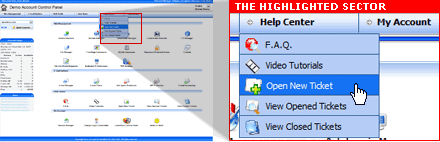
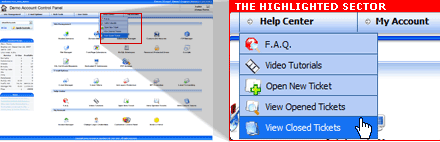
- Once logged in, point the mouse over the link Help Center in the top navigation menu. A drop-down menu will display the following options: F.A.Q., Video Tutorials, Open New Ticket, View Opened Tickets, and View Closed Tickets. Click on the Open New Ticket link to procced.
- The opened page displays a simple form where you type your question. Please fill out all fields carefully. The more relevant information you provide, the more accurate our reply will be and you will save time not having to provide additional information later. When you have completed the form, please press the Submit button to send the ticket to our Customer Support staff. To view tickets already opened, click on the View Open Tickets link in the Help Center menu.
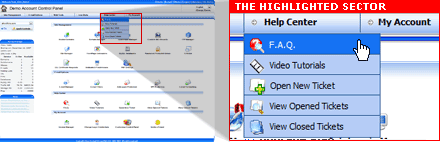
Notice: The Open New Ticket form can also be reached from the F.A.Q section.
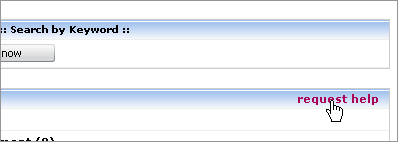
In the F.A.Q section, there is a Request Help link which will direct you to the same new-ticket form, to describe the problem you are having and place the inquiry.
Viewing Opened Tickets
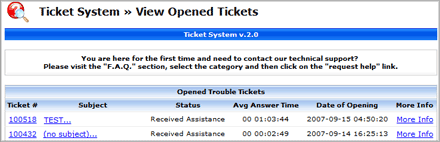
This page displays all the tickets you have opened, it includes detailed information about each subject, status and the average response time for each ticket, it also shows the date on which it was opened.
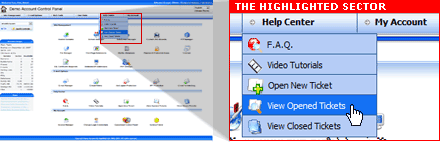
In the opened page, there will be a list displayed which shows all the tickets that you have submitted. You review the contents of the tickets by simply clicking on its number, subject or more info link.
Viewing Closed Tickets
Here you will see a list of all tickets that have already been closed.

2 Comments
I need this OVZ01 with 4 extra IP’s
Can you provide me..?
Thanks
Hello Mohit! Yes, no problem! You just order your VPS here http://www.serveu.net/order-form/?plan=50368 and at the bottom of the form you can add 3 extra IP’s (one is included from start). Then when you have got your VPS, you can log in and order additional IP’s. One extra IP is 1.75 USD/month. If you have more questions, just hit the chat button on the order form and we’ll help you in a minute.